Image and video editor
Layers
Layers is a free, browser-based image and video clip editor with non-destructive layers and more than 100 GPU effects. It runs locally in the browser.
- Free
- MIT license
- Runs locally
- Desktop: macOS, Windows, Linux
Overview
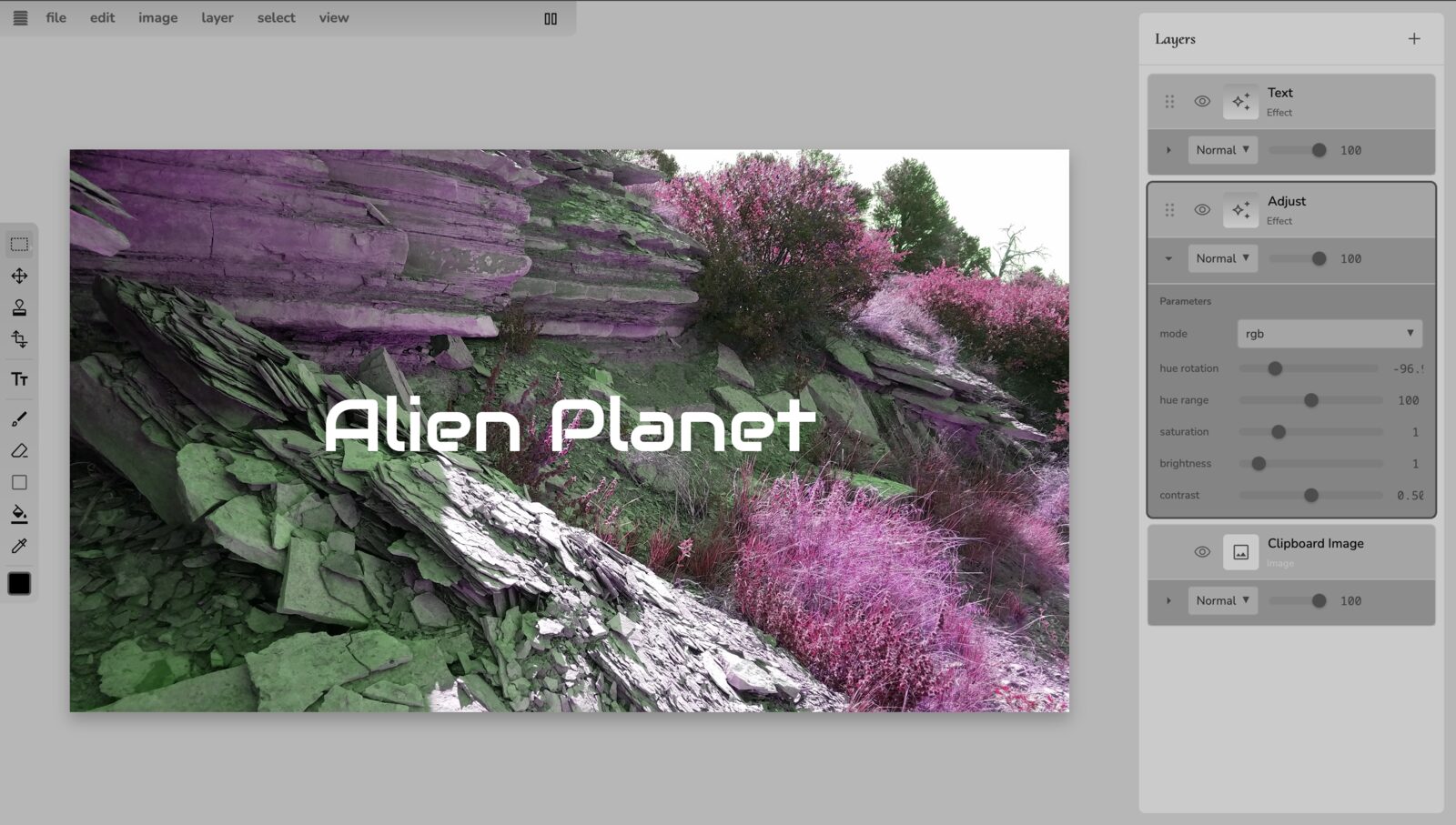
Layers edits images and short video clips with a stack of non-destructive layers. Each layer can be media or an effect, and effects render on the GPU with the Noisemaker engine. Change any layer at any time without losing the others.
Layers runs entirely in the browser. Files are not uploaded, and projects are saved locally. It loads without an install or an account.
Features
-
More than 100 effects
Layers loads its effects from the Noisemaker library, so new engine effects appear without an update.
-
Non-destructive layers
Stack media and effect layers, reorder them, and change settings at any time.
-
Blend modes
Blend each layer with the layers below it.
-
Selections
Rectangle, oval, lasso, polygon, and magic wand, with expand, contract, feather, smooth, border, and color range.
-
Tools
Brush, eraser, eyedropper, fill, move, pan, shape, and transform.
-
Image export
PNG, JPEG, or WebP at up to 8192 pixels per side, with tiled rendering for large output.
-
Video export
MP4 through WebCodecs, or a ZIP of frames, at 24, 30, or 60 fps, up to 300 seconds and 4096 pixels.
-
Local projects
Projects save in the browser, with local recovery checkpoints and undo history.
-
Online sessions
Share an editing session with others through Seance.
-
Agent API
Coding agents can drive Layers through a documented browser API and an MCP server.
Specifications
| Platforms | Web browser; desktop app for macOS (Apple Silicon), Windows, Linux |
|---|---|
| Rendering | WebGL2 |
| Input | Any image or video file the browser can decode |
| Image export | PNG, JPEG, WebP; up to 8192 pixels per side |
| Video export | MP4 or ZIP of frames; 24, 30, or 60 fps; up to 300 seconds; up to 4096 pixels |
| Storage | Local to the browser (IndexedDB) |
| Source | github.com/noisefactorllc/layers |
| License | MIT |
| Price | Free in the browser. The desktop app is included with Noisedeck Forever. |
Get started
- Open layers.noisefactor.io.
- Open an image or video file.
- Add effect layers and adjust their settings and blend modes.
- Export as an image or a video.
Resources
- Layers: the app
- Source code
- Agent documentation (llms.txt)
- Layers announcement
- Desktop downloads: requires Noisedeck Forever
Questions
- Is Layers free?
- Yes. Layers is free in the browser and open source under the MIT license. The desktop app is included with Noisedeck Forever.
- Are my files uploaded?
- No. Layers runs entirely in the browser, and projects are stored locally.
- What can Layers export?
- Images as PNG, JPEG, or WebP up to 8192 pixels per side, and video as MP4 or a ZIP of frames at up to 60 fps and 300 seconds.