VJ mixer
Noisedeck Visualize
Noisedeck Visualize is a dual-deck VJ mixer and music visualizer for Noisedeck programs, with audio-reactive shaders, MIDI control, and an automatic VJ mode.
- Free
- MIT license
- WebGL2 and WebGPU
- Desktop: macOS, Windows, Linux
Overview
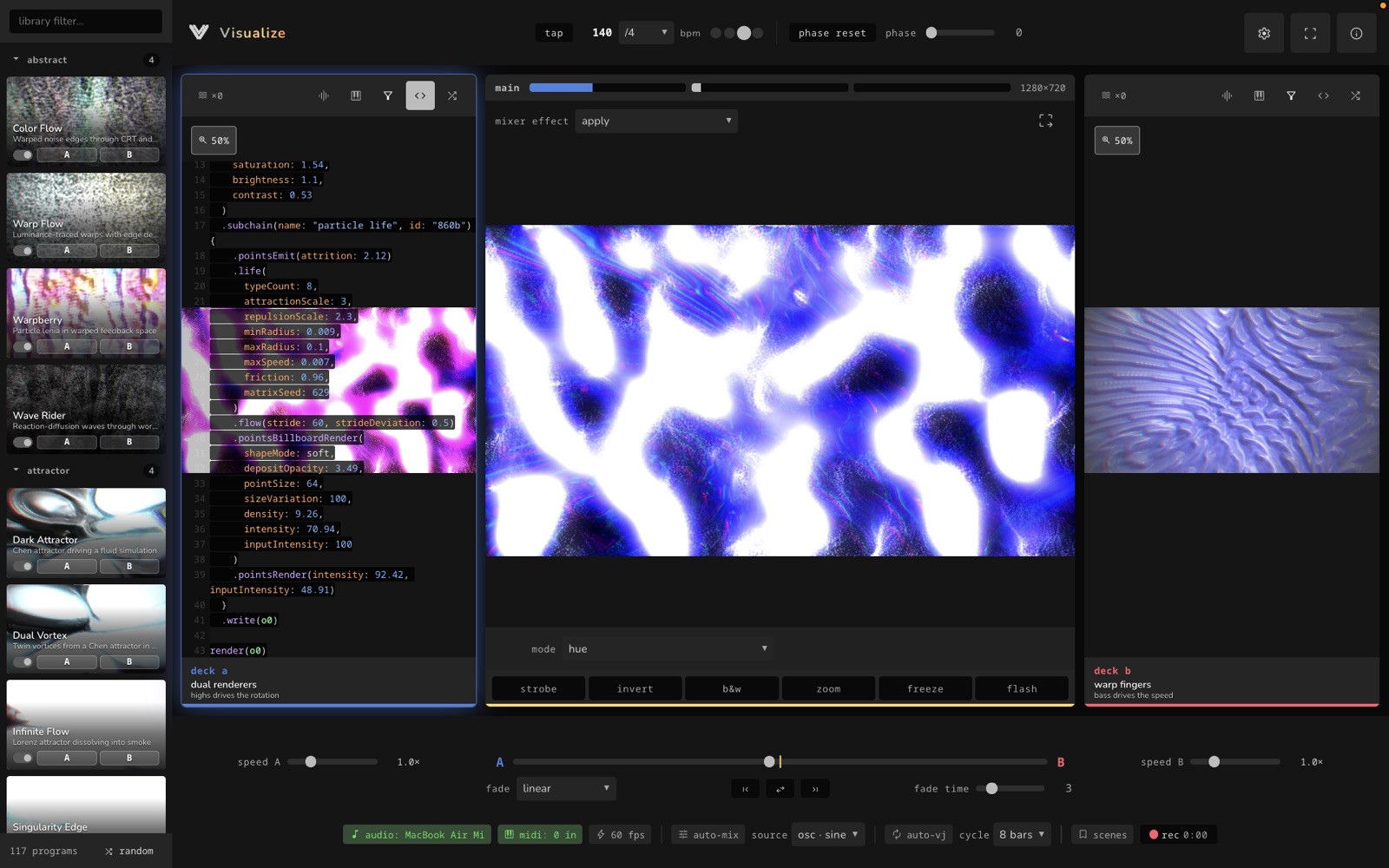
Visualize plays shader programs on two decks and mixes them with a crossfader. It includes a library of over 100 programs, many of them audio-reactive. Programs are written in Polymorphic, the same language as Noisedeck.
An audio analyzer splits microphone or loopback input into low, mid, and high bands for audio-reactive programs. MIDI learn maps any controller to the crossfader, deck speeds, and effects. Auto-VJ loads a new program on the idle deck and fades to it on the beat.
Features
-
Two decks
Each deck runs its own shader program with its own speed control and live preview.
-
Crossfader
Blend curves include linear, sharp, dipped equal-power, and hard cut.
-
Program library
Over 100 bundled programs, including many audio-reactive visuals.
-
Audio analyzer
Splits microphone or loopback input into low, mid, and high bands, with a device picker and a sensitivity control.
-
MIDI learn
Map any CC or note to the crossfader, deck speeds, or effects. Faders use soft takeover, and MIDI clock can drive the BPM.
-
Beat scheduler and Auto-VJ
Set tempo by tap or by number. Every N bars, Auto-VJ loads a random program on the idle deck and fades to it.
-
Scenes
Save named snapshots and recall them with Shift + 1 to 9.
-
Media per deck
Feed a deck from a camera, a video file, or an image.
-
Recording
Record the output to WebM, or to MP4 in Safari.
-
Output window
Open a copy of the canvas on a second display or projector, or send it to other applications with Sync.
Specifications
| Platforms | Web browser; desktop app for macOS (Apple Silicon), Windows, Linux |
|---|---|
| Rendering | WebGL2 (default) and WebGPU |
| Inputs | Microphone or loopback audio, MIDI, cameras, video and image files |
| Output | Second display window, WebM or MP4 recording, Syphon, Spout, NDI, and camera output through Sync |
| Custom effects | Portable effect ZIP import (Portable) |
| Source | github.com/noisefactorllc/visualize |
| License | MIT |
| Price | Free in the browser. The desktop app is included with Noisedeck Forever. |
Get started
- Open visualize.noisedeck.app.
- Load a program on each deck and move the crossfader between them.
- Select an audio device so audio-reactive programs follow the music.
- Map a MIDI controller with MIDI learn, or turn on Auto-VJ.
Resources
- Noisedeck Visualize: the app
- Source code
- Desktop downloads: requires Noisedeck Forever
- Desktop builds announcement
Questions
- Does Visualize react to music?
- Yes. It analyzes microphone or loopback audio into low, mid, and high bands. Many of the bundled programs are audio-reactive.
- Can I control Visualize with a MIDI controller?
- Yes. MIDI learn maps any CC or note to the crossfader, deck speeds, or effects, and Visualize can follow MIDI clock.
- Is Visualize open source?
- Yes. The source is on GitHub under the MIT license.